
Working from home doesn’t require an expensive desk or premium gear but the right setup can dramatically improve your comfort, focus, and productivity.
This guide shows you how to build a complete WFH desk setup starting under RM500, using budget-friendly, locally available products in Malaysia (most of it) and then upgrade logically as your needs grow. Instead of guessing what to buy, each setup tier is designed around real work scenarios, not aesthetics.
In this guide, you’ll find:
- A Starter laptop-only setup for minimal spaces and tight budgets
- Balanced and desktop-style setups for daily productivity
- Ergonomic-focused upgrades to reduce strain during long work hours
- Creator and premium setups for content creation and professional use
- Clear upgrade paths, so you only spend money when it actually helps
This guide starts with a RM200 desk setup, then shows optional upgrade paths for comfort, creativity, and long-term health.
How This Guide Is Structured
The Ultimate WFH Desk Setup is designed as a progressive system, where each stage solves the main limitation of the previous one.
It starts with a laptop-only setup that improves basic ergonomics using a laptop stand, external keyboard, and mouse. Raising the screen and stabilizing the viewing angle helps reduce fatigue during everyday work.
As work becomes more demanding, limited screen space becomes the next bottleneck. Adding an external monitor increases display area, improves multitasking, and reduces strain caused by frequent window switching.
Once screen ergonomics are solved, prolonged sitting becomes the primary source of fatigue. Better chair support, desk height, and input positioning shift the focus to long-term comfort during extended sessions.
For people who spend many hours at their desk, advanced upgrades such as adjustable desks and modular accessories help encourage posture variation and improve endurance.
Each step builds on the previous one rather than replacing it, allowing upgrades to happen gradually as work habits and comfort needs evolve.
This guide is based on how my own WFH desk evolved over time. If you want to see how these setups look in real life, you can read my full breakdown in My WFH Setup.
Pricing & affiliate disclosure:
Prices listed in this guide were checked on 31/12/2025 and may change over time. Some product links are affiliate links, which means this site may earn a small commission at no extra cost to you. All product selections are based on practical use cases and value, not sponsorship.
TL;DR: Start with screen height and typing comfort under RM500. Upgrade your monitor first, ergonomics second, and premium gear only when your work demands it.
Starter
Minimalist Laptop-Only Setup (≈ RM 150–RM 200)
Overview
| Item Category | Product | Purpose | Est. Price |
|---|---|---|---|
| Laptop Stand | GOOJODOQ Foldable Laptop Stand | Improve posture & airflow | RM24.00 |
| Wireless Keyboard | UGREEN 2.4G Wireless Slient Keyboard | Comfortable typing | RM33.90 |
| Wireless Mouse | Acer M157 Business Mouse | Precision & ergonomics | RM15.49 |
| Desk Mat | Keyboard / Mouse Mat | Comfort | RM3.50 - RM23.90 |
| LED Desk Lamp | Portable LED Desk Lamp | Reduce eye strain | RM22.80 |
| Cable Management | Magnetic Cable Clip | Cleaner minimal desk | RM24.20 |
| Total | RM123.89 - RM144.29 | ||
Who this setup is for
This setup is ideal if you:
- Work primarily on a laptop
- Have limited desk space
- Are a student, freelancer, or hybrid worker
- Want the highest productivity improvement with the lowest cost
This setup reduces screen fatigue by improving screen height and viewing stability, which lowers eye–neck strain and excessive refocusing. Elevating the laptop screen reduces downward eye strain, while using an external keyboard and mouse allows a more relaxed viewing angle, helping reduce screen fatigue during long work sessions.
Assumptions for this setup
- You primarily work on a laptop only (no monitor, no multi-device workflow).
- Your sessions are short to moderate, around 1–3 hours per day. Not long marathon workdays.
- Your space is small. Bedroom desk, small apartment, shared space, or study table.
- You want the biggest ergonomic improvement with the smallest budget.
- You prefer portability. Moving between home, cafés, library, coworking spaces.
- You’re okay with basic comfort, not full ergonomics like adjustable chairs or full desktop layouts.
Laptop Stand
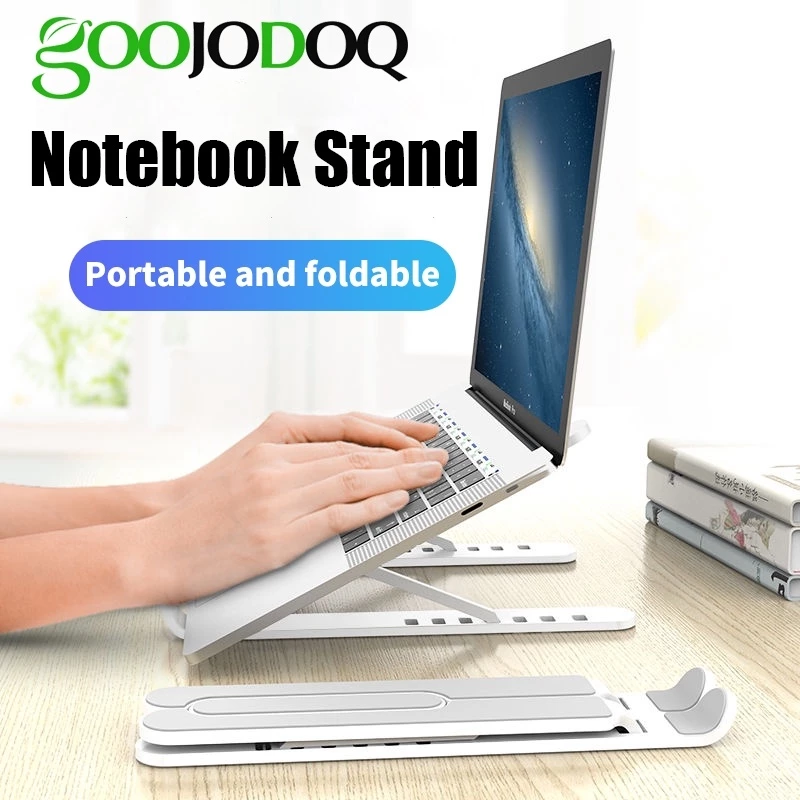
GOOJODOQ Foldable Laptop Stand
Adjustable, anti-slip holder with 7 angle settings for instant ergonomic improvement and portable comfort. Also very light.
RM24.00 · Shopee Malaysia
Good for: lifting your laptop screen to eye level, improving posture, and adding a tiny bit of airflow underneath.
- Quite cheap, so it’s the first item to buy if you’re keeping the setup under RM200.
- Simple anti-slip design, 7 angle settings and portable.
Wireless Keyboard
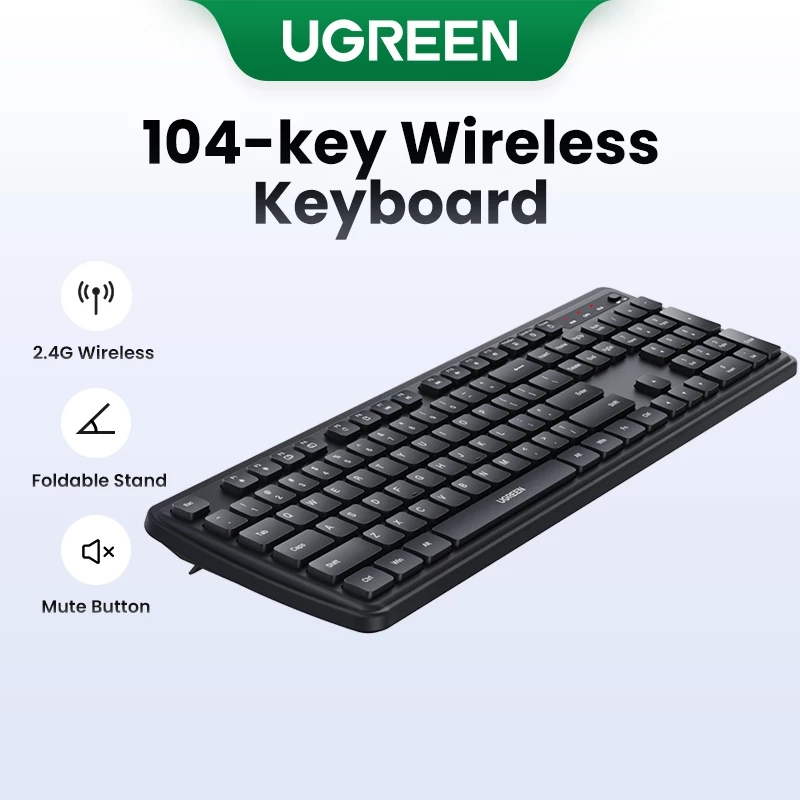
UGREEN 2.4G Wireless Slient Keyboard Ergonomic Design
A 104-key, full-sized ergonomic keyboard with silent keys, 2.4G wireless transmission (up to 10m), a foldable stand, and a dedicated mute button, compatible across multiple operating systems.
RM33.90 · Shopee Malaysia
Good for: turning any laptop into a more comfortable typing station without adding much bulk or cost.
- Near-silent keys are excellent for shared spaces and quiet environments.
Wireless Mouse
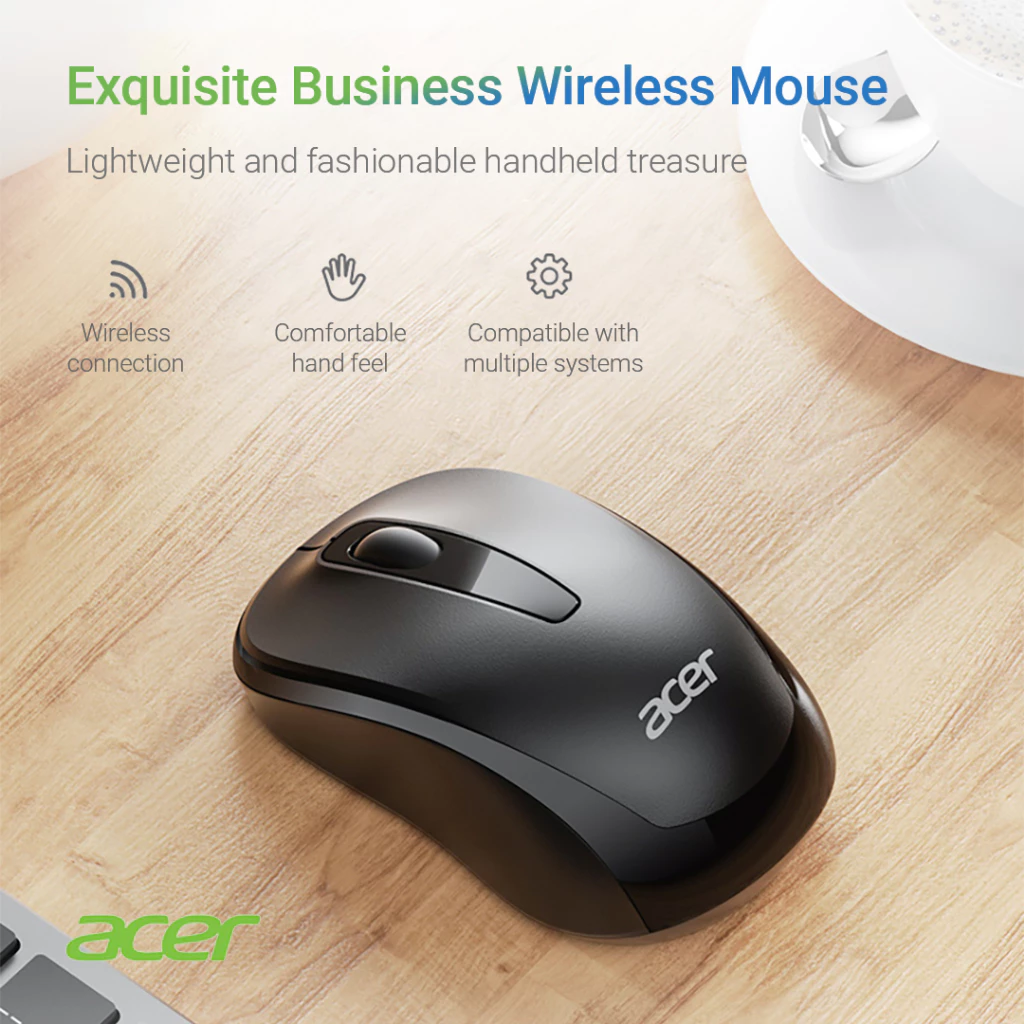
Acer M157 Business Mouse
A 2.4GHz USB wireless mouse featuring silent click technology and adjustable sensitivity for comfortable, quiet operation in any shared space
RM15.49 · Shopee Malaysia
Good for: It is excellent for quiet, comfortable, and clutter-free for everyday work where minimizing click noise is a priority.
- It’s an ok mouse for the price, gets the job done, small and compact.
Looking for more mouse options?
- Budget-friendly (under RM100): See our Ranked Budget Mice guide
- Premium productivity (RM150–RM600): See our Best Productivity Mice for WFH guide featuring MX Master 3S and Pro X Superlight 2
Desk Mat
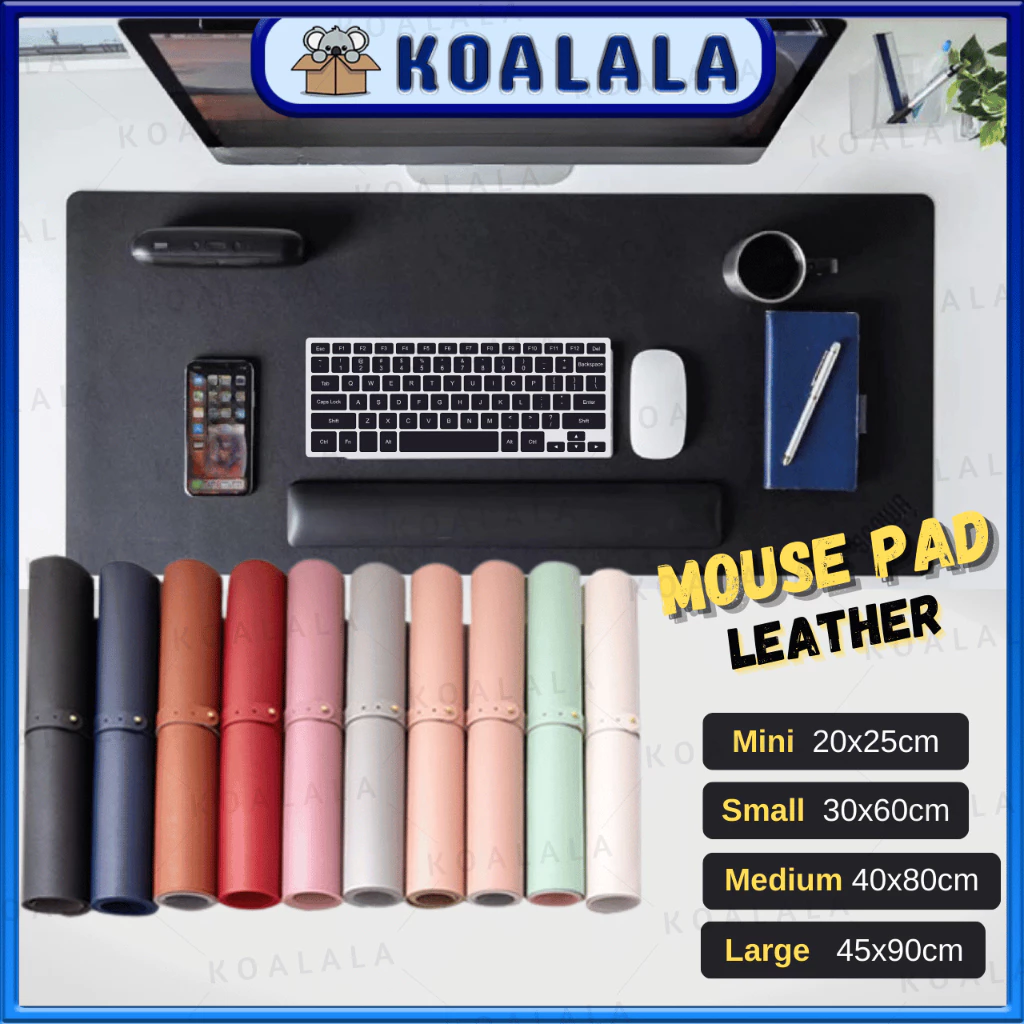
Keyboard / Mouse Mat
A thick, smooth, and portable desk protector designed to function as both a large mousepad and a keyboard mat, featuring waterproof and anti-slip properties.
≈ RM3.50 - RM23.90 · Shopee Malaysia
Good for: protecting the table, defining your workspace, and giving a cleaner, more organized look.
- Very affordable for the small sizes, still affordable for medium sizes—flexible depending on desk width or usage.
- Preferred local seller with quick shipping; available in multiple sizes and colors to match small desks or bedroom setups.
- Smooth surface for mouse use and easy to wipe clean, especially useful in tight rooms or dorms.
Tip: if you often swap between laptop on lap and desk, pick a smaller size so it’s easy to roll and carry.
LED Desk Lamp
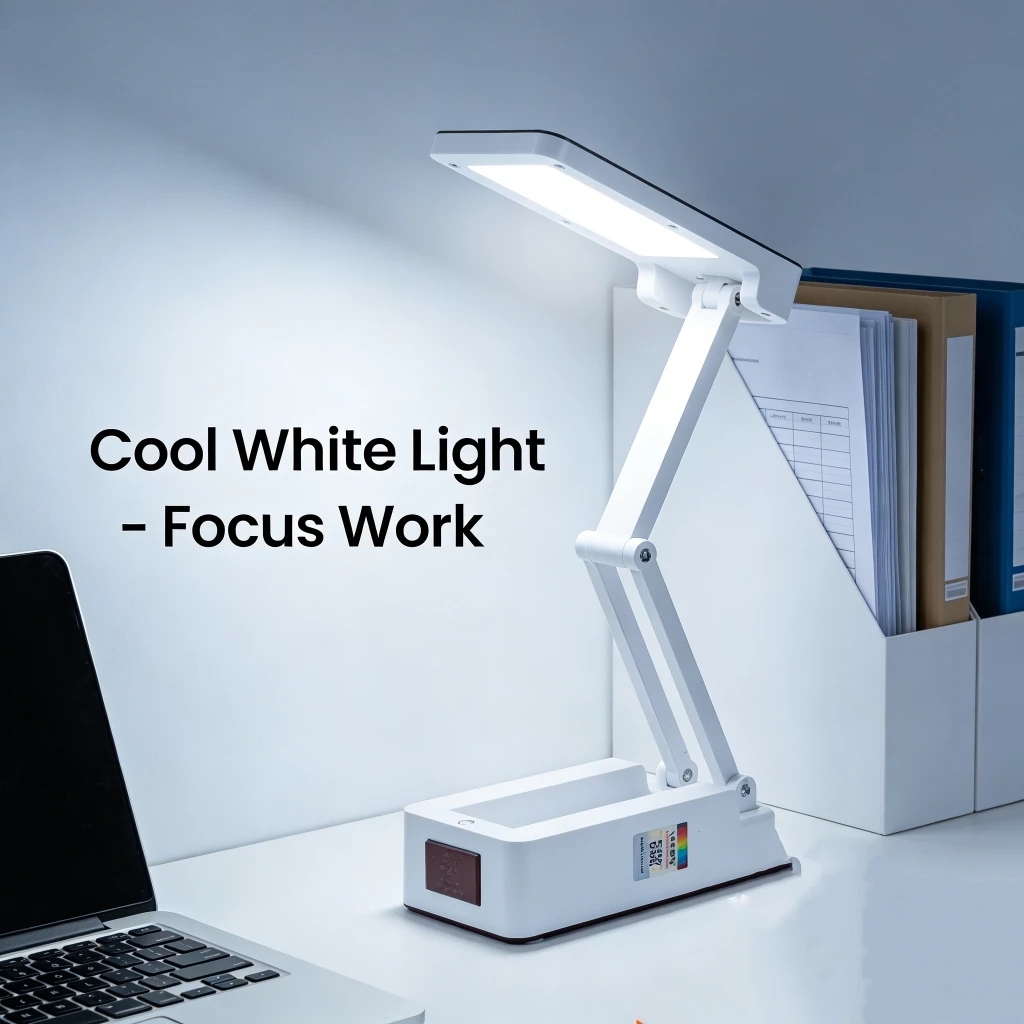
Portable LED Desk Lamp
A rechargeable, foldable desk light featuring touch-sensitive dimming controls and anti-glare technology, ideal for studying, reading, and portable use.
RM22.80 · Shopee Malaysia
Good for: boosts alertness and concentration with a cool white to daylight tone.
- Good price for a real lamp; complements a higher‑quality stand, keyboard, and mouse to make the setup feel complete.
- Highly portable and space-saving for easy storage or travel.
Tip: shift to a warmer tone closer to bedtime to avoid disrupting your sleep cycle.
Cable Management
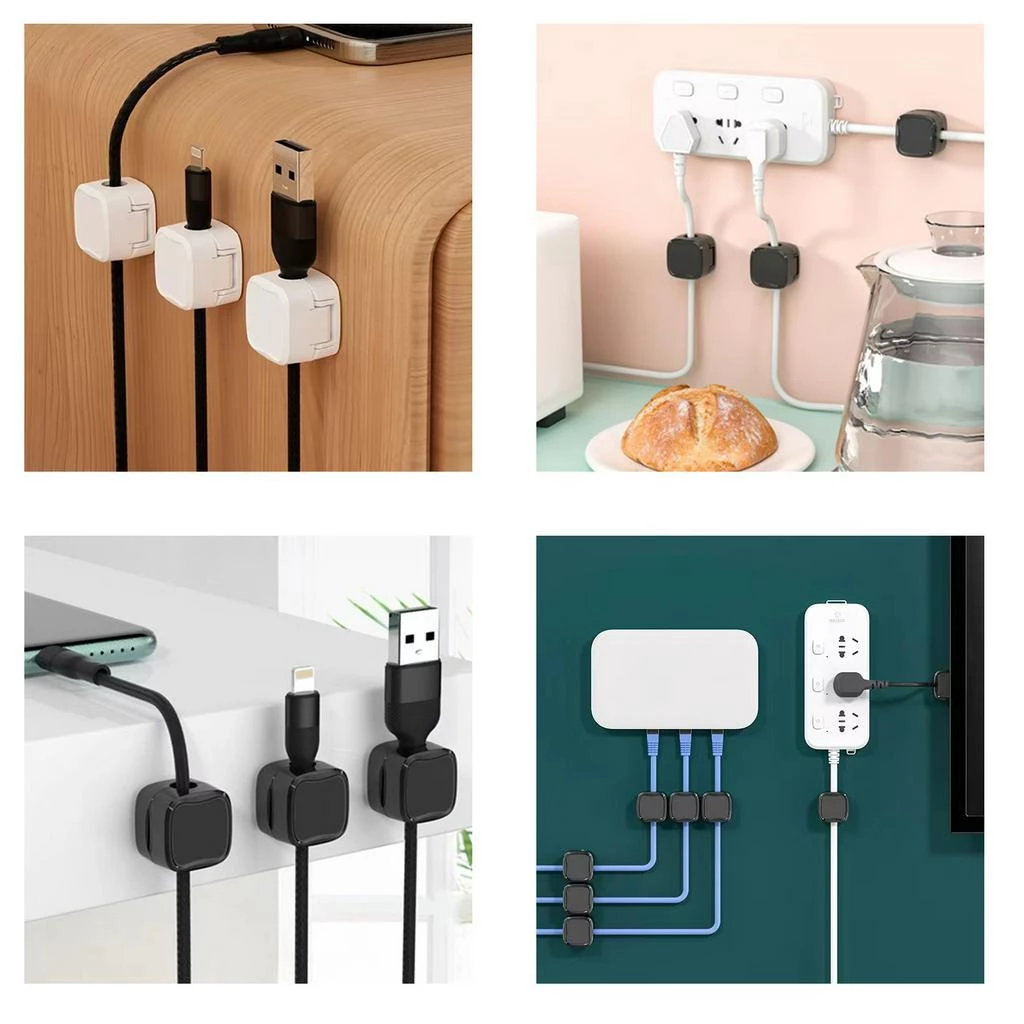
Magnetic Cable Clip
A desktop cable management solution featuring magnetic clips and a holder base to securely organize and keep USB data cables within easy reach.
RM24.20 · Shopee Malaysia
Good for: keeping chargers and any extra cords under control in a tiny or shared workspace. Not recommended when: you’re at shared working spaces, too troublesome to stick it and tear it off when you move.
- Strong adhesive base, works on smooth surfaces, holds most cables securely; quick installation.
- Comes as a set, so you can place clips at several points on a desk, wall edge, or under a shelf to route cables cleanly.
- Very affordable; a tiny add‑on that makes even a budget setup look professional and organized.
Tip: place one near the laptop stand and another near the lamp or charger to minimize cable drag and visual clutter.
When to upgrade
- You’re constantly switching windows or using the laptop screen for long sessions.
- You want less neck strain and better typing comfort.
- You’re doing light multitasking (browser, docs, Zoom).
TL;DR
This setup serves as the foundation for higher-tier desk setups, with the most common next upgrade being an external monitor for improved multitasking and reduced eye strain.
- Cost: RM150–RM200
- Includes: Laptop stand, keyboard, mouse, desk mat, desk lamp, and cable management
- Best for: Laptop users on a tight budget
- Biggest benefit: Improved posture and typing comfort
- Next upgrade: External monitor for multitasking
Balanced Productivity Setup (≈ RM 300–RM 500)
Overview
| Item Category | Product | Why is this an upgrade? | Est. Price |
|---|---|---|---|
| Laptop Stand | ErgoFlex Foldable Laptop Stand | Better durability, adjustability, and ergonomics. | RM29.80 |
| Wireless Keyboard | Aula F75 Wireless Keyboard | Superior typing experience and customization | RM178.90 |
| Wireless Mouse | Logitech Signature M650 | Superior tracking, battery life, and versatility | RM159.00 |
| Desk Mat | MIIIW Mouse Pad | Higher‑grade materials and construction | RM51.82 |
| Light Bar | the Aryl™ Monitor Light Bar v2 | Adjustable, glare-free illumination for the desk and workspace | RM69.90 |
| Total | RM489.42 | ||
Assumptions for this setup
- You work 2–6 hours per day at a desk.
- You want better comfort than a simple laptop-only setup.
- You do light productivity tasks (browsing, reports, meetings, notes).
- You prefer a clean but functional workspace.
- You want a setup that can scale later (e.g., adding a monitor).
Laptop Stand
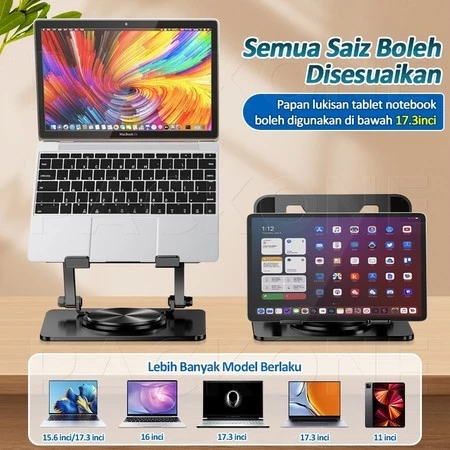
ErgoFlex Foldable Laptop Stand
Height-adjustable laptop and tablet stand featuring a 360° rotating base, suitable for devices from 8 to 17 inches.
RM29.80 · Shopee Malaysia
Why is this an upgrade? (vs previous setup)
- Superior build with carbon steel and aluminum for 5x durability over generic stands, plus SIRIM-certified rust resistance ideal for Malaysia’s humidity.
- 360° rotation and taller height adjustment (8-28cm) enable precise ergonomic positioning, reducing strain more effectively than Product A’s fixed 6 angles.
- Enhanced cooling via honeycomb vents and higher load capacity (10kg) support intensive WFH tasks without overheating, while extras like cable organizers add productivity value
Wireless Keyboard
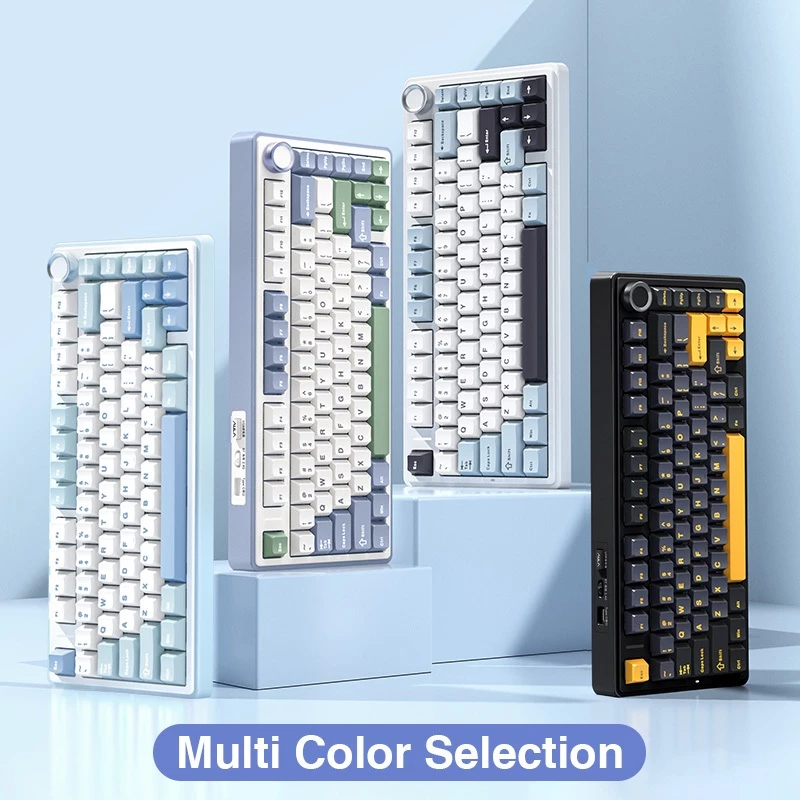
Aula F75 Wireless Keyboard
A compact 75% layout, tri-mode (Wired/BT/2.4G) gaming keyboard featuring premium Gasket structure, hot-swappable switches, and vibrant RGB lighting for peak customization and performance.
RM178.90 · Shopee Malaysia
Why is this an upgrade? (vs previous setup)
- Mechanical switches provide tactile feedback, faster actuation (36-45gf pressure), and 60 million keystroke durability, far exceeding membrane keys for extended WFH typing without fatigue.
- Tri-mode connectivity, hot-swap capability, and gasket mount deliver versatile, customizable performance with RGB for low-light setups, unlike Product A’s basic wireless membrane design.
- 4000mAh battery and multi-OS modes ensure reliable all-day use across devices, enhancing productivity over Product A’s limited range and lack of recharge specs.
Tips: If you want a smooth, quieter feel for the office, choose the “Leobog Reaper” or “Graywood V3” switches (Linear). Avoid “Green/Blue” switches if you don’t want loud clicking sounds.
For a detailed breakdown of why we chose the AULA F75 and when to consider alternatives like the RK61, RK71, or Redragon K708, see our Best Budget Mechanical Keyboards for WFH guide.
Wireless Mouse
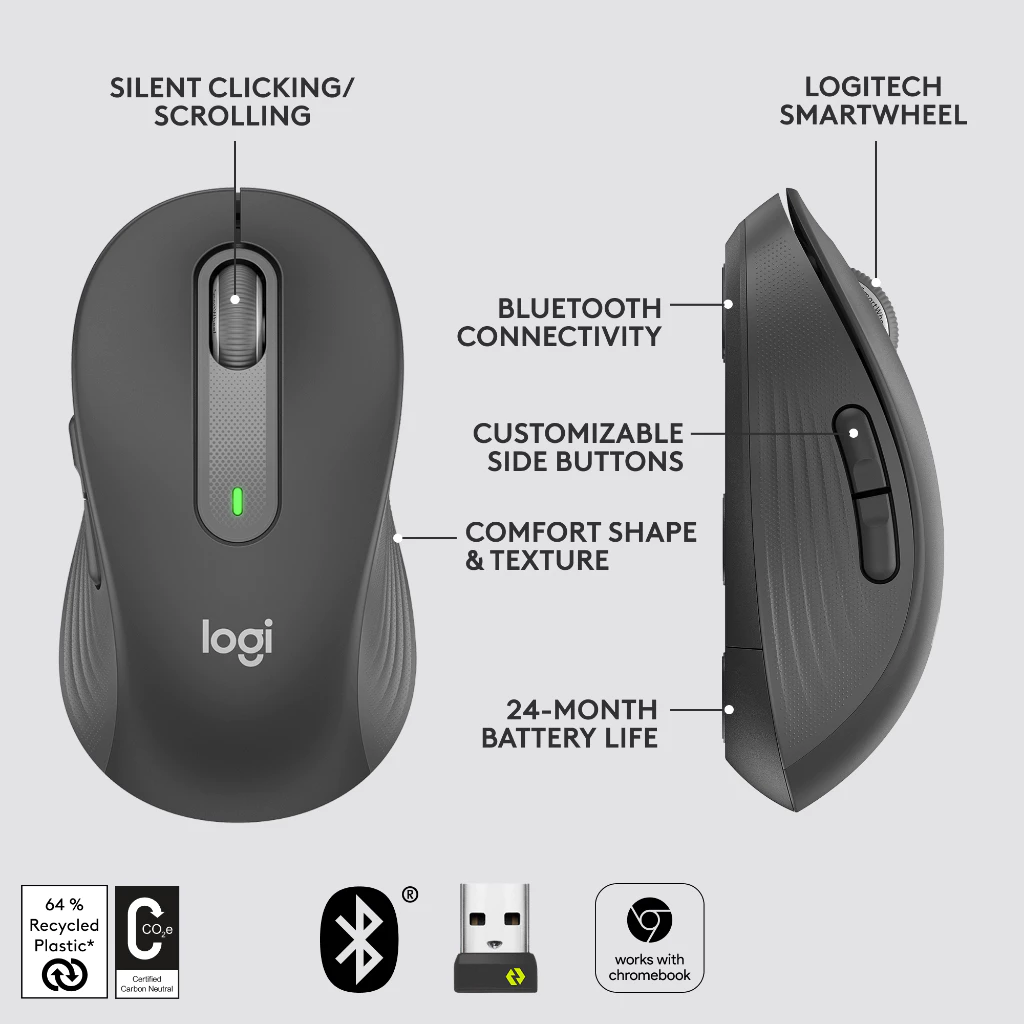
Logitech Signature M650
An ergonomic mouse available in two sizes (M650/M650 L) featuring dual Logi Bolt/Bluetooth connectivity, Silent Touch technology, and the SmartWheel for precision or speed scrolling.
RM159.00 · Shopee Malaysia
Why is this an upgrade? (vs previous setup)
- Logitech’s advanced optical sensor and higher max DPI (4000) deliver precise tracking for productivity tasks like spreadsheets or design, outperforming Acer’s basic 1600 DPI limits.
- Dual connectivity (Bluetooth + Logi Bolt) and exceptional 24-month battery life reduce downtime and cable clutter, ideal for multi-device WFH compared to Acer’s single-mode 3 months.
- SmartWheel for line-by-line precision or free-scrolling, plus 5 buttons and customization via Logi Options+ app, enhance workflow efficiency over Acer’s simpler 3-button design.
Layman: It feels good in your hands, its fast (and precise) and much more functionality with those few extra buttons.
Note: It is a bit more expensive than the previous setup, but it is a better investment for the long run.
Want to explore premium mouse upgrades? For users spending 6+ hours daily at their desk, see our Best Productivity Mice for WFH guide featuring the upgrade path from M650 to MX Master 3S and Pro X Superlight 2.
Desk Mat
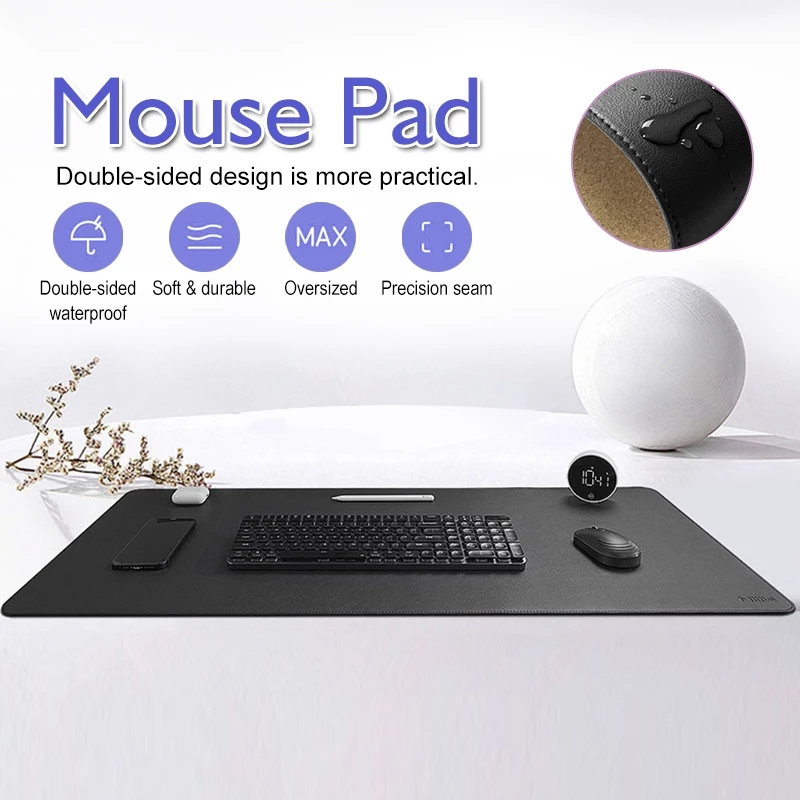
MIIIW Mouse Pad
A large, double-sided, durable computer mat featuring both waterproof leather and natural cork surfaces with tightly seamed edges.
RM51.82
Why is this an upgrade? (vs previous setup)
- Double‑layer design: PVC “leather” surface plus a natural cork layer, about 1.8 mm thick, giving a more premium, eco‑style underside and better structure.
Note: The surface feels good, very premium, much wow. But in serious note, it is a matter of preference. If you prefer a more “wooly” texture, you can try Large Wool Felt Gaming Mouse Pad – Smooth and Non-Slip Surface (RM15.00 - RM48.00).
Light Bar
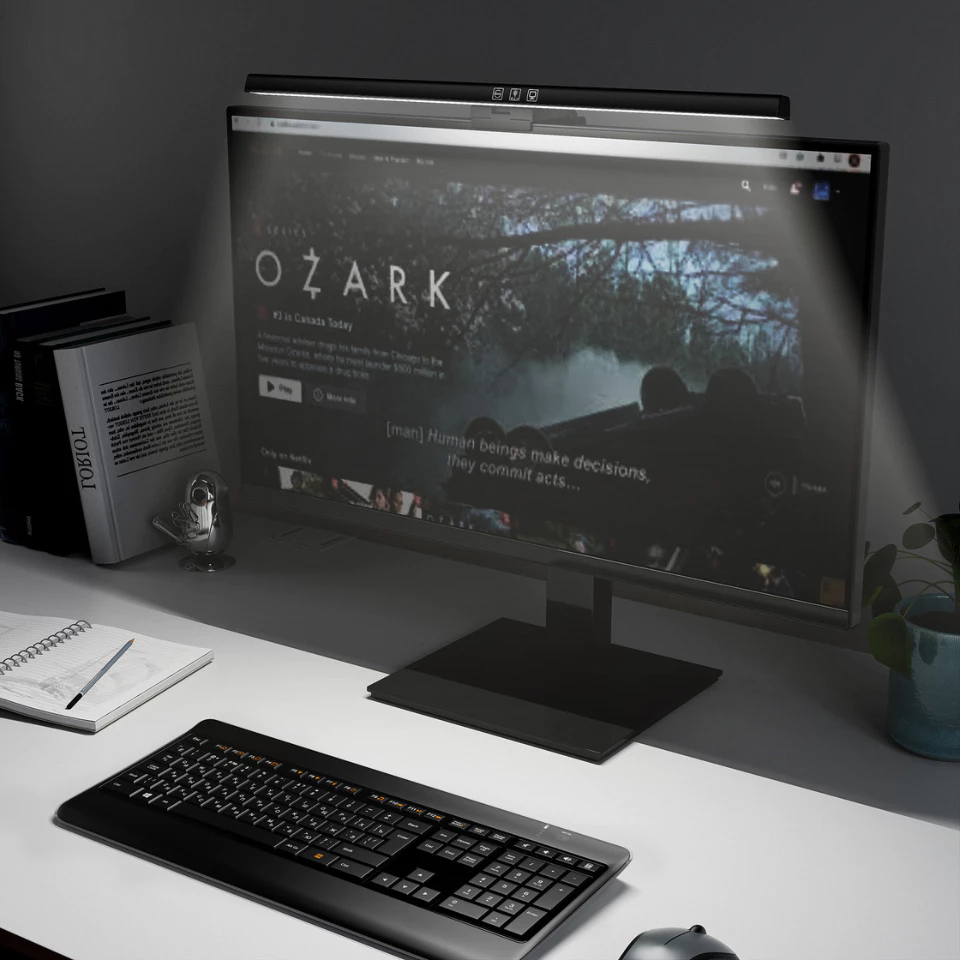
the Aryl™ Monitor Light Bar v2
A sleek, second-generation light bar designed to mount atop a computer monitor, providing adjustable, glare-free illumination for the desk and workspace.
RM69.90
Why is this an upgrade? (vs previous setup)
- Adds lighting or monitor accessories where useful to reduce contrast and glare, improving visual comfort in dim environments.
- Prioritizes peripherals and display accessories with better adjustability and build quality for daily use.
Note: This can be used on a laptop screen, provided the screen thickness is compatible with the light bar’s clamp mechanism which is 5mm to 40mm.
When to upgrade
- You work primarily from a fixed desk and use it daily for 4+ hours.
- You frequently multitask (many windows / browser tabs) and experience workflow friction from limited screen space.
- You need more reliable ports or a permanent, cable-managed setup for external drives and accessories.
TL;DR
This setup improves daily productivity and comfort but does not fully address prolonged sitting fatigue or posture variation during very long workdays.
- Cost: RM300–RM400
- Includes: Premium laptop stand, mechanical keyboard, ergonomic mouse, double-sided desk mat, and monitor light bar
- Best for: Daily productivity workers who want better build quality and typing feel
- Biggest benefit: Superior typing comfort and device longevity
- Next upgrade: Add a dedicated external monitor to unlock true dual-screen workflow
Full “Budget Desktop Replacement” Setup (≈ RM 450–RM 550)
Overview
| Item Category | Product | Why choose this? | Est. Price |
|---|---|---|---|
| Monitor | Xiaomi Monitor A22i | Instantly doubles your visual workspace | RM268.00 |
| Keyboard & Mouse | Logitech MK220 Wireless Combo | A durable and reliable combo. Uses a single USB dongle for both, saving precious laptop ports. | RM99.00 |
| Laptop Stand | GOOJODOQ Foldable Laptop Stand | Use this to raise your laptop screen to align with the monitor for a seamless dual-screen setup. | RM24.00 |
| Connectivity | UGREEN 4 in 1 USB-C Hub | Required to connect the HDMI monitor and USB peripherals if your laptop has limited ports. | RM130.00 |
| Desk Mat | Keyboard / Mouse Mat | Looks nice, feels nice, and durable. | RM3.50 - RM23.90 |
| Total | RM524.50 - RM544.90 | ||
The Full “Budget Desktop Replacement” Setup is designed for users ready to move beyond laptop-centric workflows.
Assumptions for this setup
- User already has a laptop (the monitor is a secondary/primary display for the laptop).
- Daily usage: medium to heavy (4–8 hours) — productivity, browser tabs, light content work.
- Small-to-medium desk (120cm or similar) available.
- User wants a near-desktop experience without buying a full desktop tower.
- Preference for stable, low-maintenance gear over flashy or gaming-first features
Expectations — what this setup delivers
- Real desktop feel: 21–22” 1080p + external keyboard/mouse gives much more screen real-estate and comfort than laptop-only.
- Smooth general use: 75Hz and IPS-ish panel are fine for productivity, video streaming, and light photo work.
- Plug-and-play simplicity: single hub handles monitor, keyboard, mouse, and charging.
- Good value: noticeable productivity gain for a moderate spend; not a pro-grade color-critical rig but excellent for everyday work.
Monitor
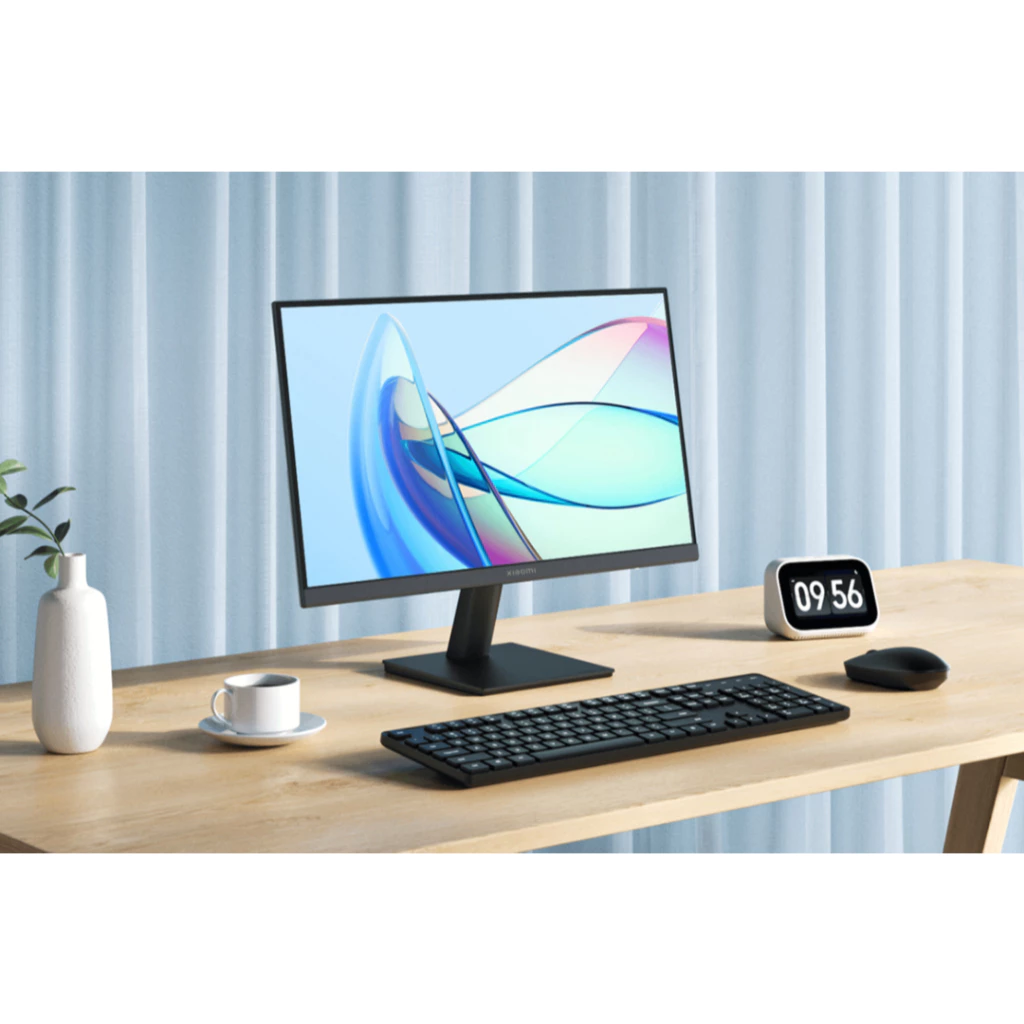
Xiaomi Monitor A22i
A 21.45-inch Full HD (1080P) display featuring a 75Hz refresh rate and 250 nits high brightness, designed for everyday viewing and productivity.
RM268.00 · Shopee Malaysia
This is the anchor of this setup. For roughly RM250+, you get a Full HD (1920x1080) screen with a 75Hz refresh rate.
Why it works: It instantly doubles your visual workspace. You can have reference material on the laptop screen and your main work on the monitor.
Alternative: PRISM+ W220v (often on sale for ~RM 299–RM 329).
Keyboard and Mouse
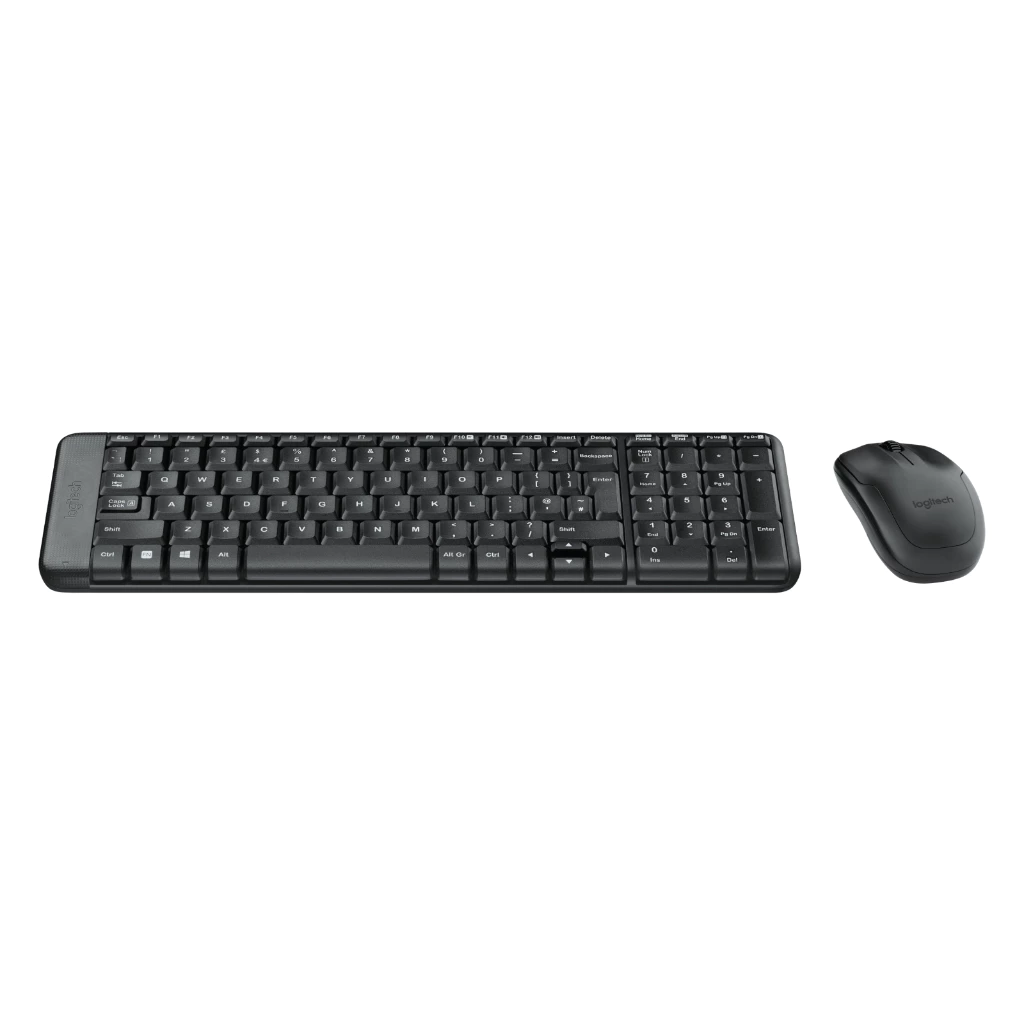
Logitech MK220 Wireless Combo
A compact 2.4 GHz wireless keyboard and mouse set designed for reliable, space-saving operation with a long battery life.
RM99.00 · Shopee Malaysia
The Logitech MK220 Wireless Combo is a smart choice for the Budget Desktop Replacement Setup because it strikes a strong balance between price, reliability, and everyday comfort — all without complicating your workflow or breaking the RM450–RM550 budget.
Also, its within this setup budget.
Laptop Stand
GOOJODOQ Foldable Laptop Stand
Adjustable, anti-slip holder with 7 angle settings for instant ergonomic improvement and portable comfort. Also very light.
RM24.00 · Shopee Malaysia
The same as minimalist setup, serves the same purpose and most importantly, it is within this setup budget.
Connectivity
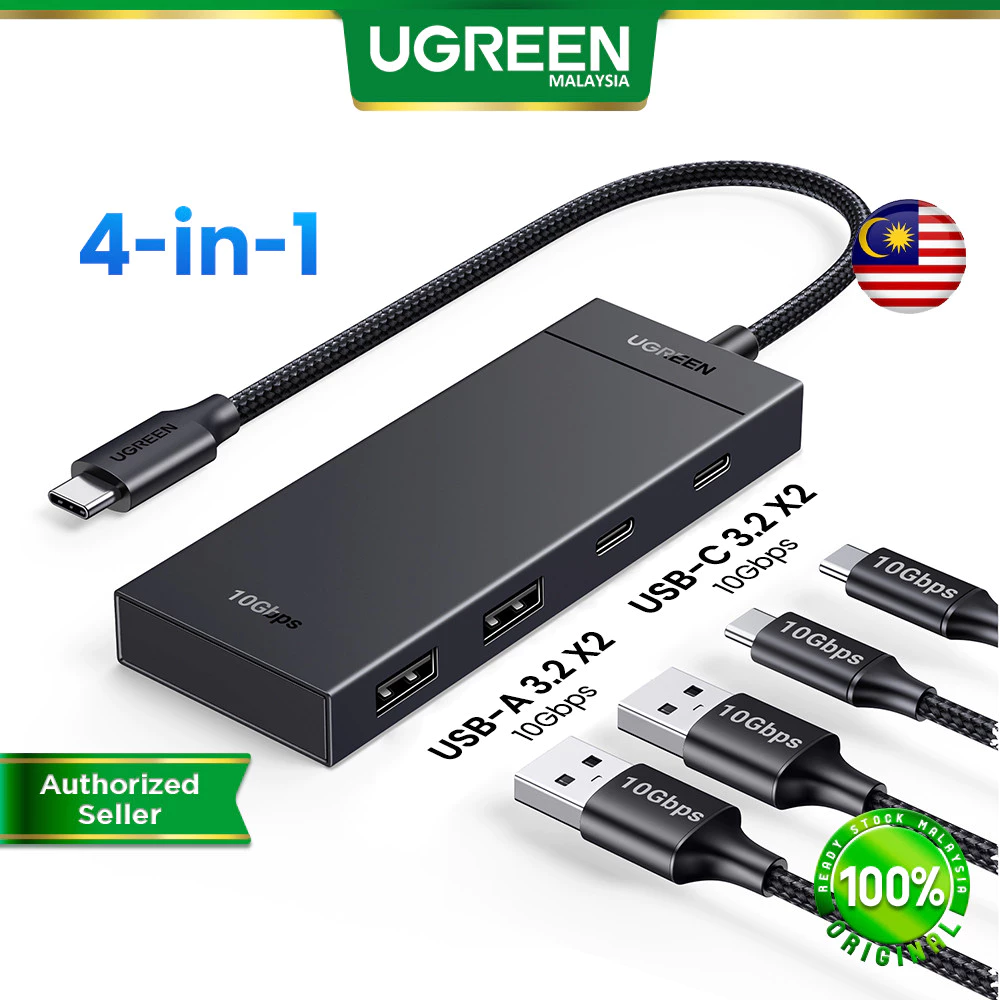
UGREEN 4 in 1 USB-C Hub
An ultra-compact USB-C adapter that expands one port into two 10Gbps USB-C 3.2 ports and two USB-A 3.2 ports for high-speed data transfer across various devices like Macbooks and iPads.
RM130.00 · Shopee Malaysia
Most modern laptops (especially slim ones) lack an HDMI port or enough USB-A ports for a dongle.
Why it works: It turns one USB-C port into an HDMI port (for the monitor) + USB ports (for the keyboard/mouse).
Desk Mat
Keyboard / Mouse Mat
A thick, smooth, and portable desk protector designed to function as both a large mousepad and a keyboard mat, featuring waterproof and anti-slip properties.
≈ RM3.50 - RM23.90 · Shopee Malaysia
Supporting accessories such as desk mats improve surface comfort and stability but are secondary to the monitor-first workflow introduced in this tier.
When to upgrade
- You want your desk setup to function like a desktop rather than a laptop add-on.
- You prefer wireless peripherals and a cleaner, cable-managed workspace.
- You work primarily at a fixed desk and no longer need portability.
TL;DR
This setup shifts from laptop-centric to monitor-first workflow, establishing a true dual-screen workstation for medium to heavy daily use (4–8 hours).
- Cost: RM450–RM550
- Includes: 21.45” Full HD monitor, wireless keyboard & mouse combo, laptop stand, USB-C hub, and desk mat
- Best for: Fixed-desk workers ready to eliminate laptop-only limitations
- Biggest benefit: True multitasking with dual screens and desktop-like experience
- Next upgrade: Ergonomic chair and monitor arm for long-session comfort
Enhanced
Ergo-Boost Setup (RM650–RM850 Range)
Overview
| Item Category | Product | Why is this chosen? | Est. Price |
|---|---|---|---|
| Ergonomic Chair | TMAX FC-801 | Comfortable mesh chair with adjustable armrests and tilted seating design, better suited for longer seated sessions compared to previous tiers. | RM249.90 |
| Monitor Arm | North Bayou NB F80 Gas Strut | Replaces the static stand to give you more height/angle adjustments and reclaim desk space. | RM95.00 |
| Monitor | Xiaomi Monitor A22i | Essential for ergonomics: prevents you from hunching over a small laptop screen. | RM268.00 |
| Vertical Mouse | UGREEN Ergonomic Wireless Vertical Mouse | Forces your hand into a natural 'handshake' position to prevent carpal tunnel. | RM55.00 |
| Mechanical Keyboard | Aula F75 Wireless Keyboard | Soft gasket mount structure reduces impact shock on fingers while typing. | RM178.90 |
| Total | RM846.80 | ||
Assumptions for this setup
- You are sitting for 6+ hours a day and starting to feel back or neck pain.
- You already have a basic desk (or dining table) but the chair is uncomfortable.
- You want to separate your “viewing” (Monitor) and “typing” (Keyboard) to avoid the “laptop hunch.”
- You are willing to trade “brand names” for “functionality” (e.g., choosing a generic mesh chair over a premium brand to stay in budget).
Ergonomic Chair
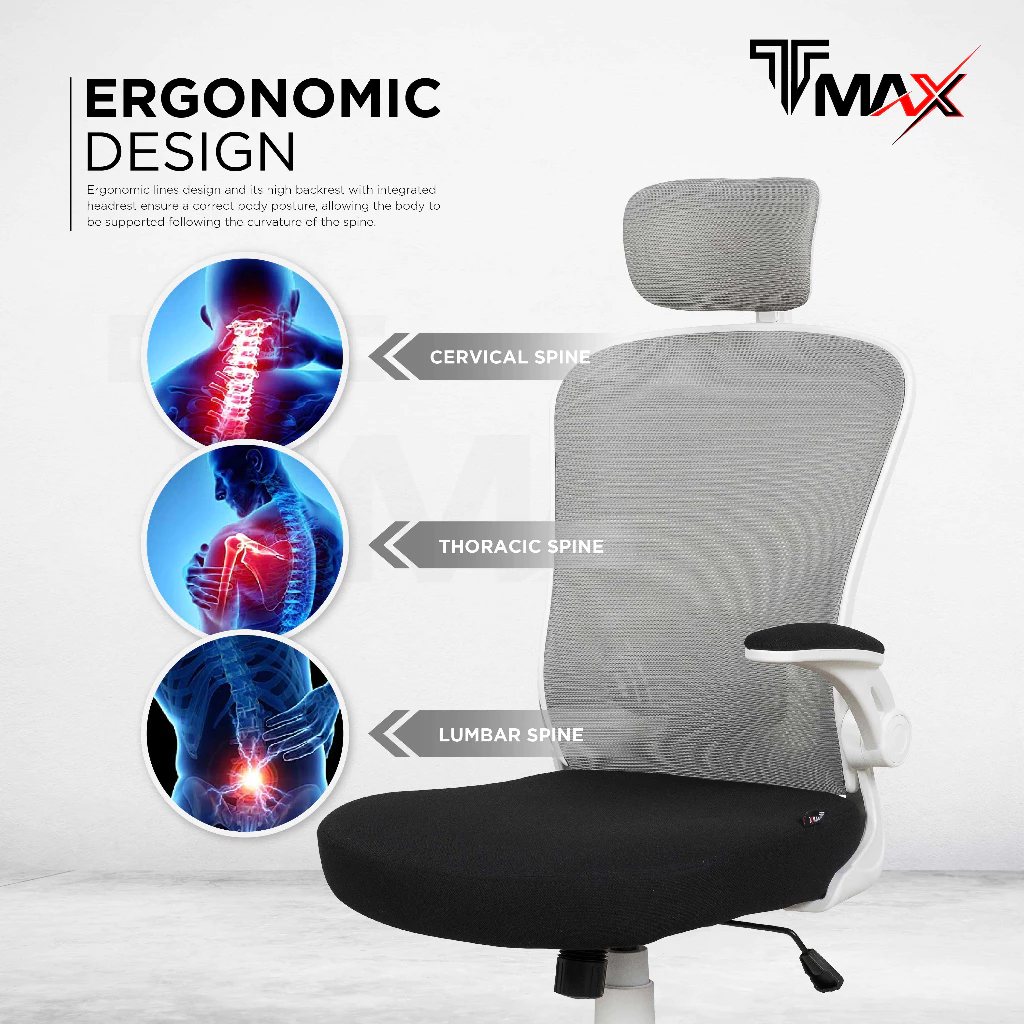
TMAX FC-801
Comfortable mesh chair with adjustable armrests and tilted seating design, ideal for long work or study sessions.
RM249.90 · Shopee Malaysia
Why it works:
- More adjustment and certification than many budget chairs. TMAX FC-801 lists adjustable headrest and armrests, tilt mechanism with tension adjustment, and certifications from SGS / ANSI/BIFMA and Bureau Veritas. That’s unusual at this price.
- Comfort‑focused seat and mesh back. Mesh backs let air flow, so your back and upper body stay cooler than on many foam or fabric chairs—helpful when you’re seated for many hours.
- Longer warranty for a budget item. A 2‑year warranty is shown, which is notably better than many ultra‑cheap chairs, giving you more confidence for long use.
- Strong seller backing with free returns and service programme. Helpful when buying online on a budget, since you can handle issues more easily.
Monitor Arm
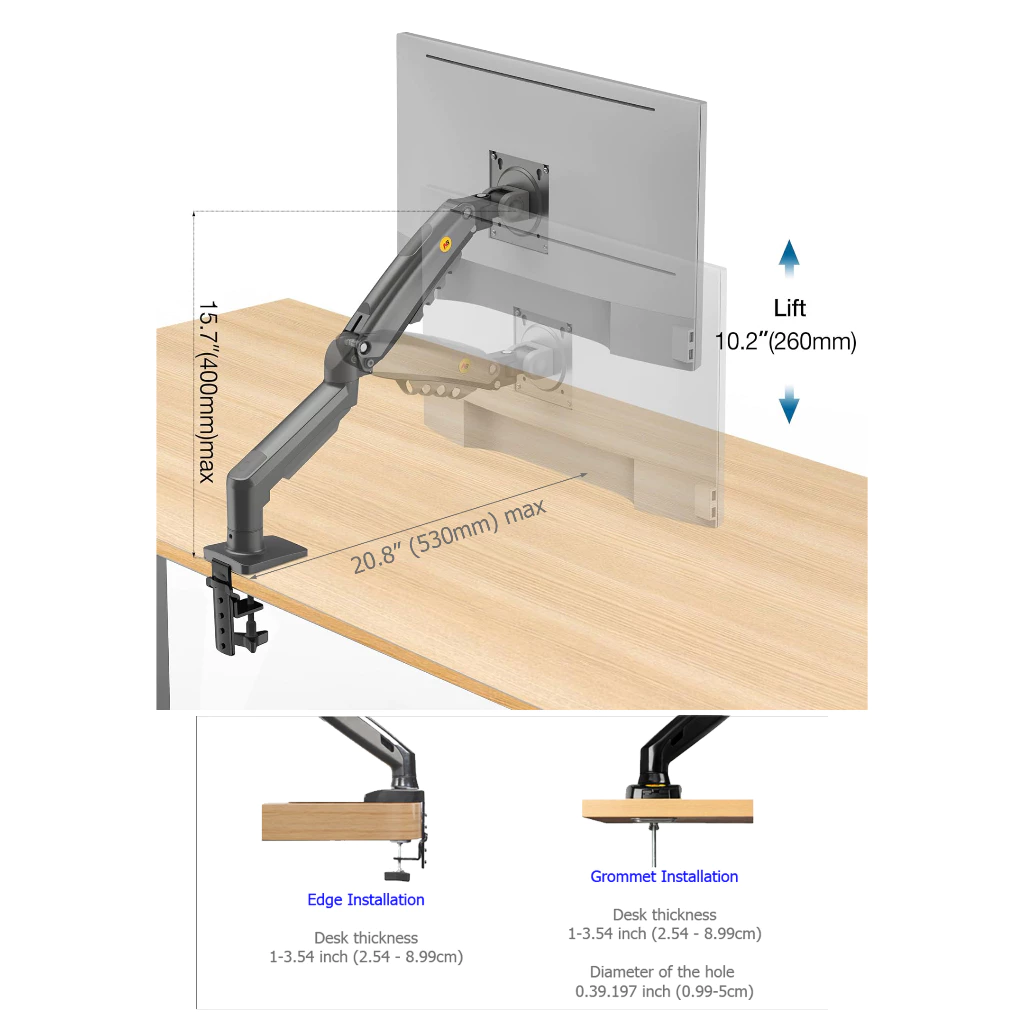
North Bayou NB F80 Gas Strut
Replaces the static stand to give you infinite height/angle adjustments and reclaim desk space.
RM95.00 · Shopee Malaysia
Why is this an upgrade? (vs Static Stand)
- A static monitor stand only has one height. A monitor arm lets you pull the screen closer when reading small text or push it back when watching videos.
- Ergo Benefit: It ensures the top of the monitor is exactly at eye level, preventing neck strain.
- Bonus: It lifts the monitor off the desk, freeing up space for your keyboard and notebook.
Monitor
Xiaomi Monitor A22i
A 21.45-inch Full HD (1080P) display featuring a 75Hz refresh rate and 250 nits high brightness, designed for everyday viewing and productivity.
RM268.00 · Shopee Malaysia
We retain the Xiaomi A22i from the Budget Desktop setup because it offers the best value for a secondary screen.
Integration: You will mount this monitor onto the North Bayou NB F80 Arm instead of using the included plastic stand.
Vertical Mouse
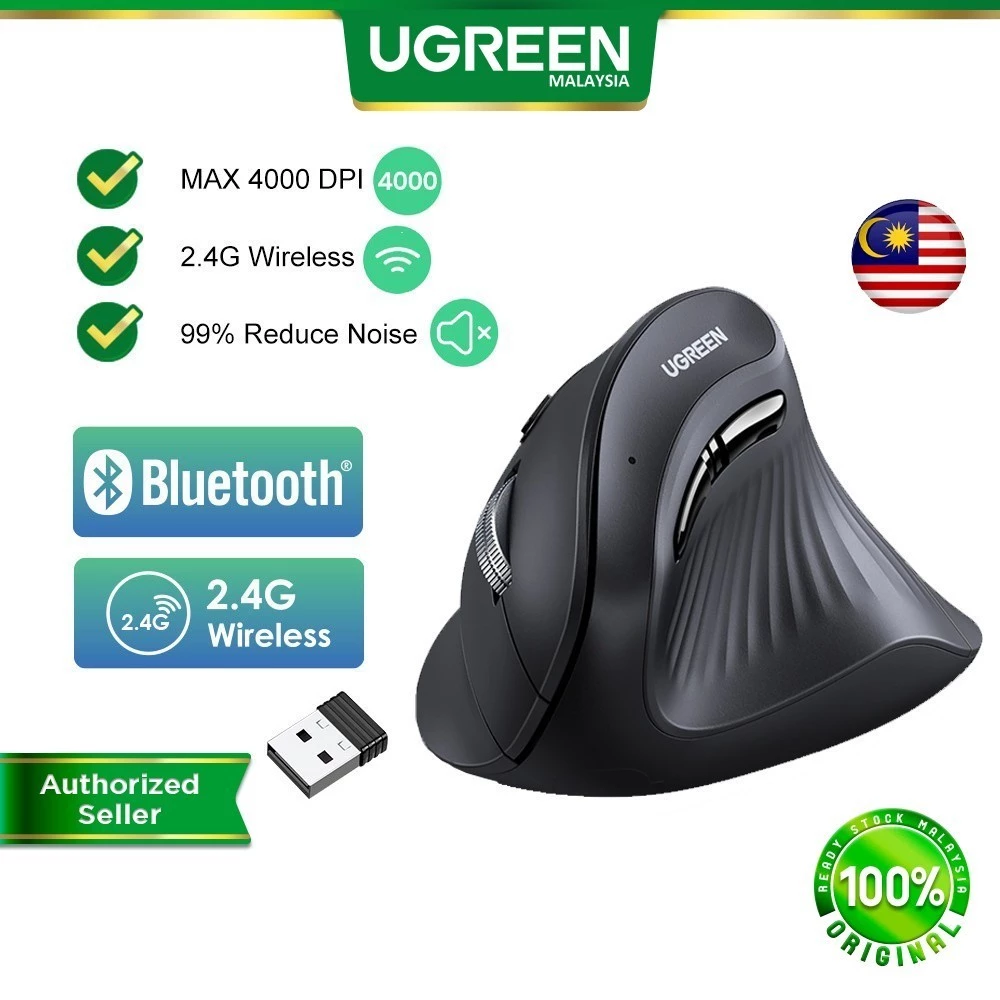
UGREEN Ergonomic Wireless Vertical Mouse
A silent-click, 4000DPI wireless mouse featuring a 57-degree vertical design to reduce wrist strain and a dual-mode (Bluetooth & 2.4G) connection for seamless multi-device switching.
RM50.97 · Shopee Malaysia
Mechanical Keyboard
Aula F75 Wireless Keyboard
A compact 75% layout, tri-mode (Wired/BT/2.4G) gaming keyboard featuring premium Gasket structure, hot-swappable switches, and vibrant RGB lighting for peak customization and performance.
RM60.39 · Shopee Malaysia
Retained from the Balanced Setup. The Gasket structure provides a “bouncy” typing feel that absorbs the impact of your keystrokes, reducing shock to your finger joints compared to stiff membrane keyboards.
When to upgrade
- You do creative work (video, photo editing, design) and need color accuracy, better audio, or improved capture.
- You produce content (streaming / recording) or need larger screen real estate.
TL;DR
This setup addresses prolonged sitting fatigue by prioritizing spinal support, eye-level screen positioning, and neutral wrist alignment for users working 6+ hours daily.
- Cost: RM650–RM750
- Includes: Ergonomic mesh chair, gas-spring monitor arm, 21.45” monitor, vertical mouse, and mechanical keyboard
- Best for: Long-session workers experiencing neck, back, or wrist discomfort
- Biggest benefit: Reduces physical strain during extended sitting through improved posture and support
- Next upgrade: Creator-focused AV equipment (mic, webcam) or larger color-accurate monitor
Creator-Ready Setup (RM800–RM950 Range)
Overview
| Item Category | Product | Why is this an upgrade? | Est. Price |
|---|---|---|---|
| Monitor | Xiaomi Monitor A24i | A larger 24-inch IPS panel with accurate color calibration, giving creators more screen space for timelines, preview windows, and multi-panel editing workflows. | RM399.00 |
| Microphone | Fifine K669B USB Microphone | Dedicated audio captures your voice clearly, eliminating the 'hollow' sound of laptop mics. | RM150.00 |
| Webcam | Rapoo C260 Full HD Webcam | 1080p resolution and better low-light handling than standard 720p laptop cameras. | RM112.03 |
| Keyboard | Aula F75 Wireless Keyboard | Retained for its superior typing sound and feel, which adds a premium touch to your creative workflow. | RM60.39 |
| Mouse | Logitech Signature M650 | Precision tracking and 'SmartWheel' scrolling are crucial for scrubbing through video timelines or large docs. | RM159.00 |
| Total | RM880.42 | ||
Once seated comfort is addressed, creative workflows become limited by peripheral count, screen space, and device management rather than posture.
Assumptions for this setup
- You frequently attend video meetings (Zoom/Teams) or create basic content (social media videos, tutorials).
- You need accurate colors for light photo/video editing.
- You want to look and sound professional without buying expensive “Pro” gear.
- You are using a laptop as your CPU but keeping it closed or to the side (requires the UGREEN Hub from the Full Budget Setup).
Monitor
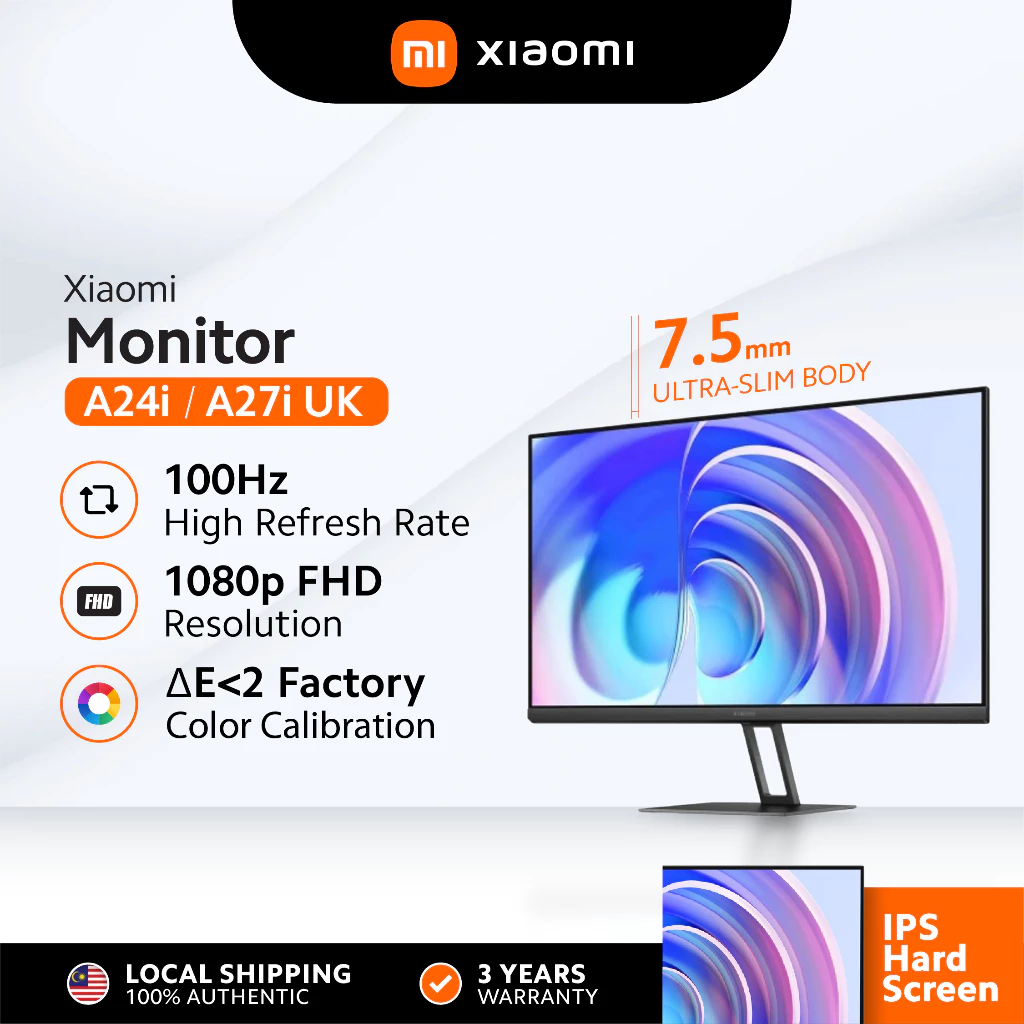
Xiaomi Monitor A24i
A 23.8-inch FHD IPS display featuring 100Hz refresh rate, 99% sRGB color gamut, and factory color calibration for accurate visuals.
RM399.00 · Shopee Malaysia
Why is this an upgrade? (vs previous setup)
- Larger 24-inch IPS panel provides more screen real estate for editing timelines, multi-window workflows, and content creation tasks.
- Factory color calibration (ΔE < 2) and 99% sRGB coverage ensure accurate color representation, essential for photo and video editing.
- 100Hz refresh rate delivers smoother scrolling and motion compared to the 75Hz A22i, enhancing the overall viewing experience.
Microphone
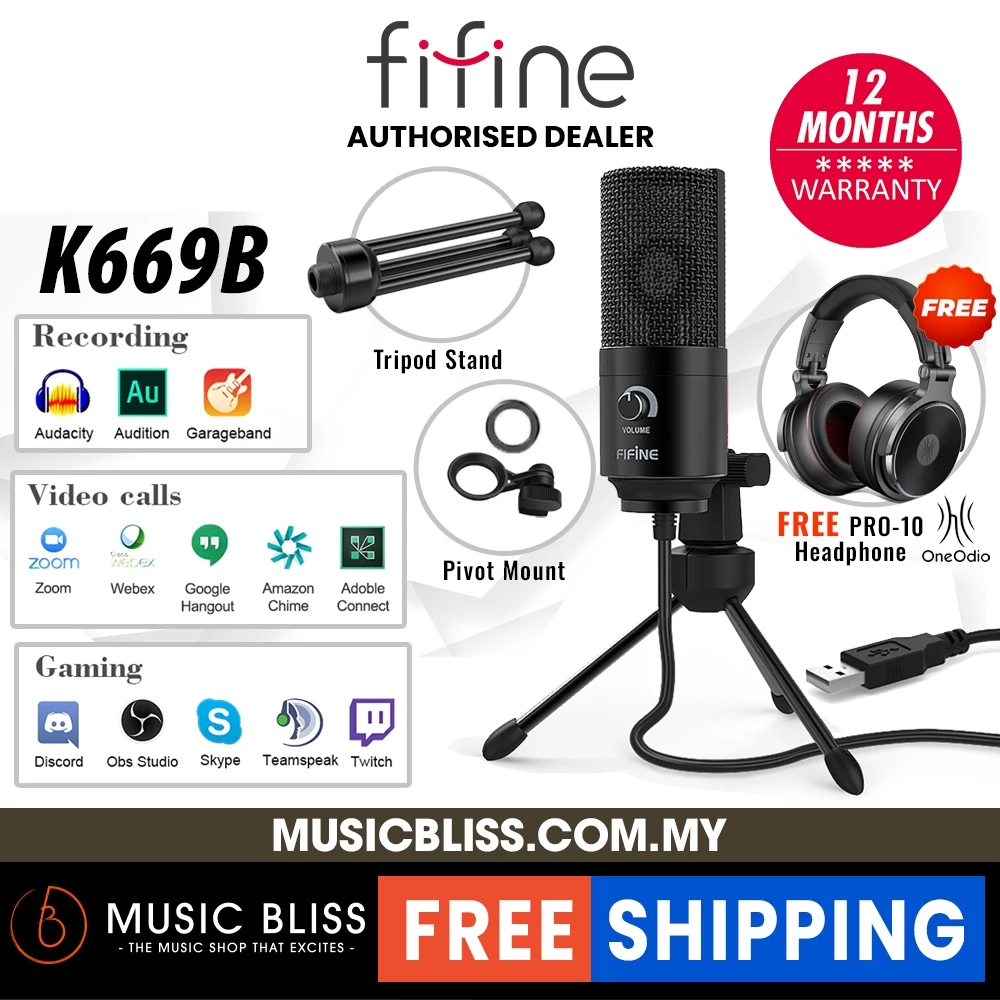
Fifine K669B USB Microphone
A durable metal condenser microphone featuring plug-and-play USB connectivity and a volume dial, perfect for high-quality studio recordings, podcasting, and voiceovers on Mac or Windows.
RM150.00 · Shopee Malaysia
Why it works:
- Dedicated USB condenser microphone captures your voice clearly with studio-quality sound, eliminating the hollow, tinny sound of laptop mics.
- Metal construction ensures durability and reduces unwanted vibrations during recording sessions.
- Plug-and-play design with volume dial makes it easy to adjust levels on the fly without diving into software settings.
- Perfect for video meetings, podcasting, voiceovers, and content creation where clear audio is essential.
Webcam
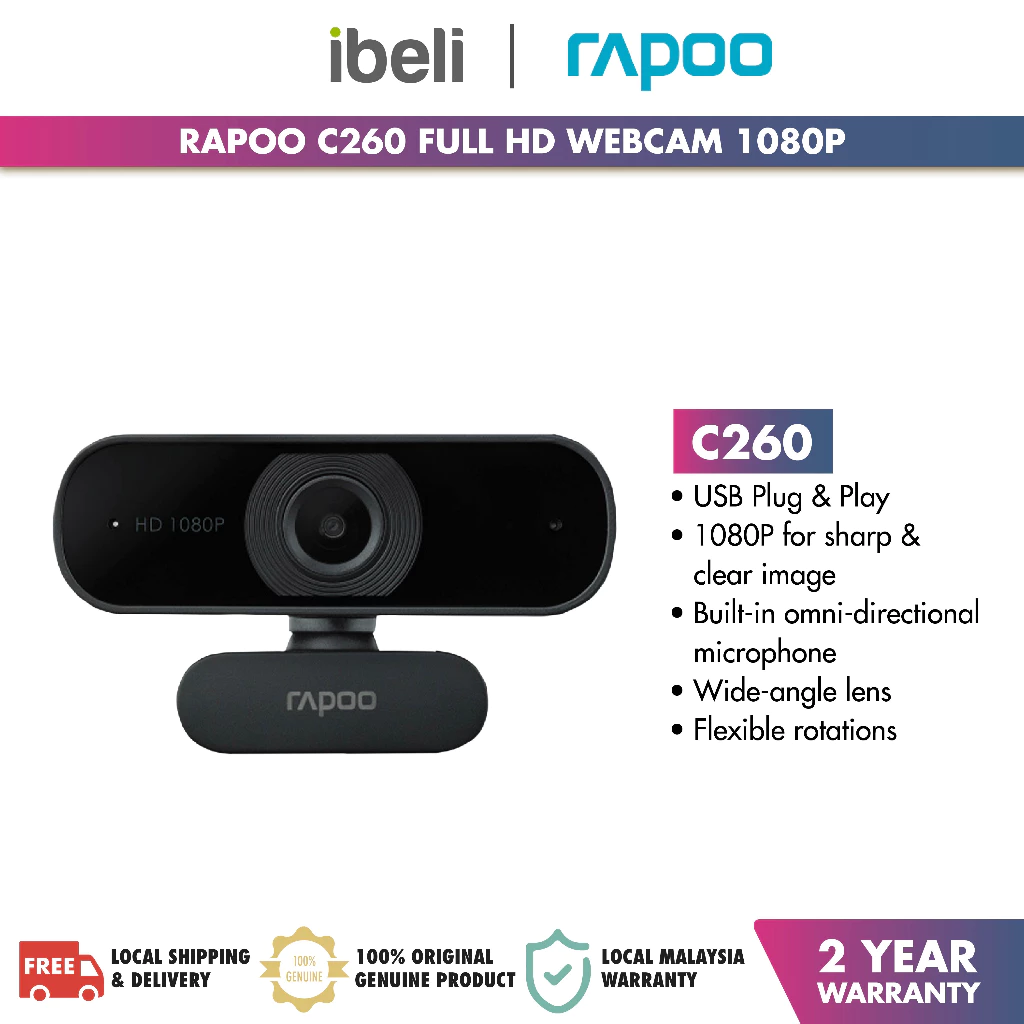
Rapoo C260 Full HD Webcam
A 1080P high-definition webcam featuring a 95° wide-angle lens, built-in omnidirectional microphone, and 360° horizontal rotation for clear video calls and flexible viewing angles.
RM112.03 · Shopee Malaysia
Why it works:
- 1080p Full HD resolution provides significantly sharper video quality compared to standard 720p laptop cameras, making you look more professional in meetings.
- 95° wide-angle lens captures more of your workspace, ideal for presentations or collaborative sessions.
- Built-in omnidirectional microphone serves as a backup audio source, though the dedicated Fifine mic is recommended for best quality.
- 360° rotation and flexible mounting options allow you to position the camera exactly where you need it.
If you don’t want to buy a dedicated webcam yet, you can repurpose something you already own. I wrote a step-by-step guide on how to turn your phone into a webcam for WFH activities (meetings, video calls, etc).
Keyboard
Aula F75 Wireless Keyboard
A compact 75% layout mechanical keyboard with hot-swappable switches and gasket structure.
RM178.90 · Shopee Malaysia
Retained from the Balanced Setup. The superior typing sound and feel adds a premium touch to your creative workflow, while the compact 75% layout saves desk space for your monitor and other creator gear.
Tips: If you want a smooth, quieter feel for recording sessions, choose the “Leobog Reaper” or “Graywood V3” switches (Linear). Avoid “Green/Blue” switches if you don’t want loud clicking sounds during video calls.
Mouse
Logitech Signature M650
A versatile wireless mouse featuring SmartWheel scrolling for precision and speed, SilentTouch technology for quiet clicks, and two size options to ensure an ergonomic fit for every hand.
RM159.00 · Shopee Malaysia
Retained from the Balanced Setup. Precision tracking and SmartWheel scrolling are crucial for scrubbing through video timelines, navigating large documents, and precise editing work.
Why it’s essential for creators:
- SmartWheel allows you to switch between line-by-line precision scrolling (for detailed editing) and free-spinning speed scrolling (for long timelines).
- Silent clicks won’t interfere with audio recordings or video calls.
- Dual connectivity (Bluetooth + Logi Bolt) lets you quickly switch between your laptop and other devices.
- Supports creator workflows that involve frequent timeline navigation, audio monitoring, and device switching beyond general productivity tasks.
Looking for more advanced mouse options for intensive workflows? Check out our Best Productivity Mice for WFH guide comparing MX Master 3S (superior productivity features) and Pro X Superlight 2 (precision design work).
When to upgrade
- You regularly create content using multiple peripherals and feel limited by screen space, input devices, or AV quality.
- Your current setup is ergonomically acceptable, but creative tasks introduce friction due to device switching, timeline navigation, or recording needs.
TL;DR
- Designed for creators who use multiple peripherals and creative tools daily
- Builds on the Ergo-Boost Setup by expanding workflow capacity, not ergonomics
- Focuses on AV quality, screen space, and device management for content creation
Premium
Ultimate WFH Setup (RM1,000–RM1,600 Range)
Overview
| Item Category | Product | What makes this tier different | Est. Price |
|---|---|---|---|
| Monitor | Xiaomi Monitor A24i | Higher-tier or factory-calibrated monitor option that prioritises color accuracy and larger screen area for multi-window workflows. | RM399.00 |
| Ergonomic Chair | TTRacing Swift X 2020 | Ultimate 'anchor' for a high-end setup by providing essential long-term spinal support and a professional aesthetic that transitions seamlessly from intense productivity to deep relaxation. | RM639.00 |
| Audio | Creative Pebble V3 | Rich 2.0 desktop audio; removes the fatigue of wearing headphones all day. | RM186.00 |
| Mouse | Logitech Signature M650 | SmartWheel scrolling and 24-month battery life for professional productivity. | RM159.00 |
| Keyboard | Aula F75 Wireless Keyboard | Gasket mount mechanical typing provides the most comfortable long-form typing experience. | RM178.90 |
| Total | RM1561.90 | ||
Assumptions for this setup
- You work 8+ hours daily at your desk and need maximum comfort and durability.
- You want a setup that will last 3–5+ years without needing upgrades.
- You value premium ergonomics, build quality, and aesthetics.
- You’re willing to invest more upfront for long-term health and productivity benefits.
Monitor
Xiaomi Monitor A24i
A 23.8-inch FHD IPS display with 100Hz refresh rate and 99% sRGB color gamut for professional-grade visuals.
RM399.00 · Shopee Malaysia
Retained from the Creator-Ready Setup. This monitor delivers high-end specs at a price that fits within the premium budget without compromising on quality.
Why it’s perfect for the Ultimate Setup:
- Factory color calibration (ΔE < 2) and 99% sRGB coverage ensure accurate color representation for professional work.
- 100Hz refresh rate provides smooth scrolling and motion, reducing eye strain during long work sessions.
- 23.8-inch IPS panel offers excellent viewing angles and consistent colors across the entire screen.
- VESA mount compatible, allowing you to pair it with a premium monitor arm for perfect ergonomic positioning.
Ergonomic Chair
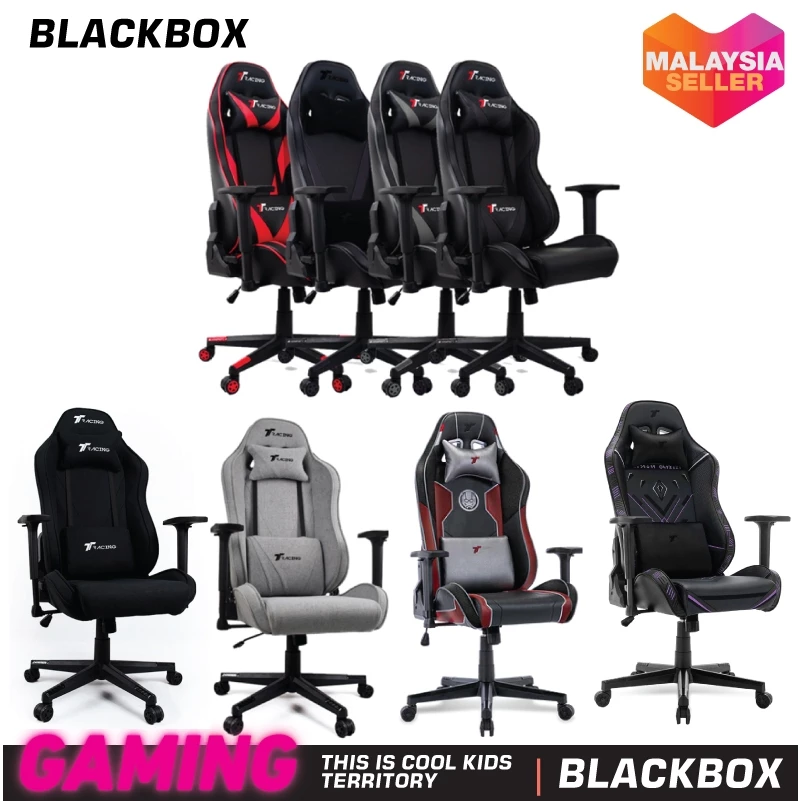
TTRacing Swift X 2020
A high-performance ergonomic chair featuring contoured support, cold-cure foam, and 165-degree recline.
RM639.00 · Shopee Malaysia
Why it’s the ultimate anchor for your setup:
- Premium ergonomics: Contoured lumbar support and cold-cure foam provide superior comfort during 8+ hour work sessions, preventing back pain and fatigue.
- Built to last: High-quality materials and construction ensure this chair will serve you for years, making it a worthy long-term investment.
- Professional aesthetic: Sleek design that looks impressive on video calls and transitions seamlessly from intense productivity to deep relaxation.
- 165-degree recline: Perfect for taking proper breaks without leaving your workspace, promoting better work-life balance.
- Adjustable everything: Armrests, seat height, and backrest tilt allow you to dial in the perfect ergonomic position for your body.
Investment perspective: At RM639, this chair costs about RM0.35 per day over 5 years—a small price for protecting your spine and maintaining productivity.
Audio
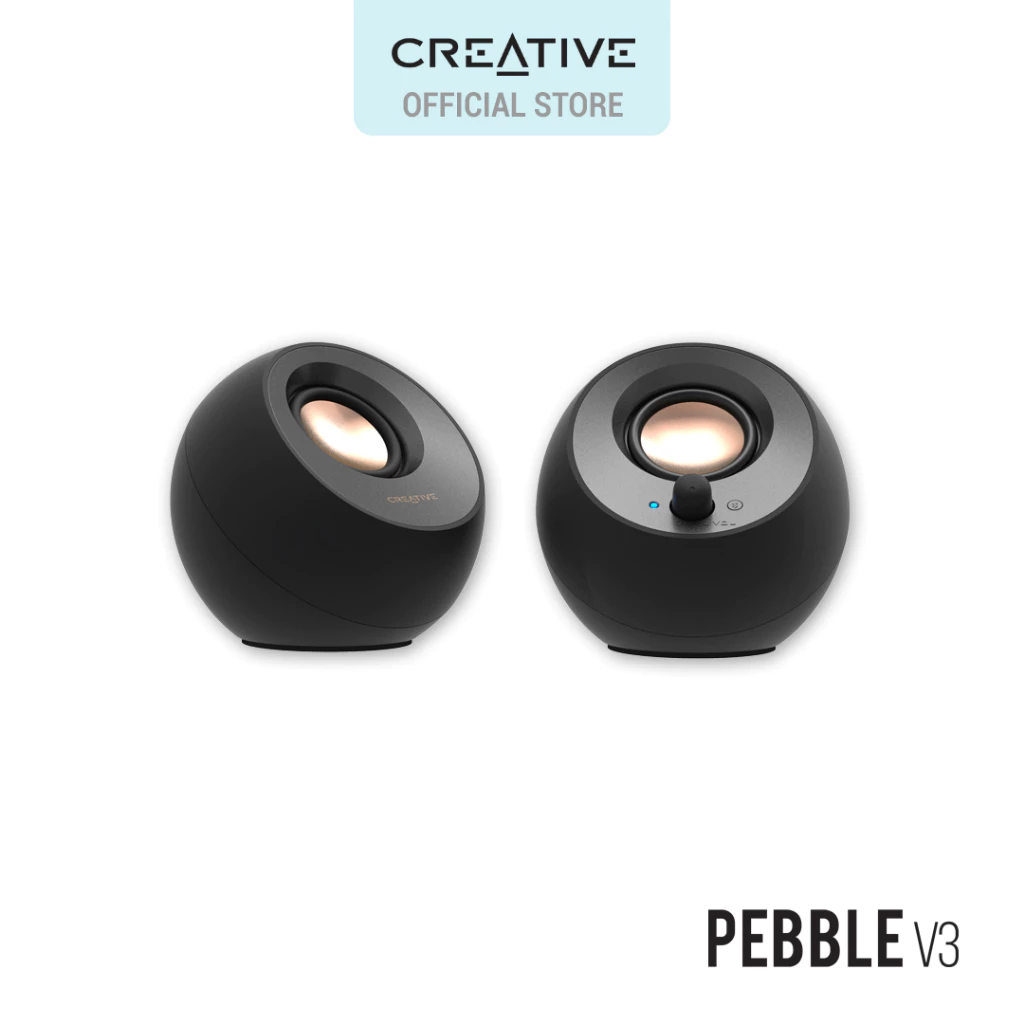
Creative Pebble V3
Minimalistic 2.0 USB-C desktop speakers with Bluetooth 5.0 and Clear Dialog audio processing.
RM186.00 · Shopee Malaysia
Why desktop speakers elevate the ultimate setup:
- Headphone fatigue relief: After hours of video calls and focused work, desktop speakers let your ears breathe while maintaining audio quality.
- Rich 2.0 stereo sound: Clear Dialog audio processing ensures voices are crisp in meetings, while music and videos sound full and balanced.
- Bluetooth 5.0 flexibility: Seamlessly switch between USB-C (for your laptop) and Bluetooth (for your phone) without cable swapping.
- Minimalistic design: Compact spherical form factor saves desk space while looking premium and modern.
- USB-C powered: No need for wall outlets—draws power directly from your laptop or hub, keeping cable management clean.
When to use: Speakers for casual work and media consumption; switch to headphones for focused deep work or when privacy is needed.
Mouse
Logitech Signature M650
A versatile wireless mouse featuring SmartWheel scrolling for precision and speed, SilentTouch technology for quiet clicks, and two size options to ensure an ergonomic fit for every hand.
RM159.00 · Shopee Malaysia
Retained from the Balanced Setup and Creator-Ready Setup. This mouse has proven itself across all tiers for good reason.
Why it’s premium-tier worthy:
- SmartWheel scrolling: Switch between line-by-line precision (for spreadsheets and detailed work) and free-spinning speed scrolling (for long documents) with a single click.
- 24-month battery life: Set it and forget it—no more interruptions from dead batteries during critical work.
- SilentTouch technology: Quiet clicks maintain a professional atmosphere, especially important in the premium setup where aesthetics and experience matter.
- Dual connectivity: Logi Bolt and Bluetooth let you seamlessly switch between devices, perfect for multi-device workflows.
- Two size options: M650 (standard) or M650 L (large) ensures the perfect ergonomic fit for your hand size.
Keyboard
Aula F75 Wireless Keyboard
A compact 75% mechanical keyboard with hot-swappable switches and gasket structure.
RM60.39 · Shopee Malaysia
Retained from the Balanced Setup, Creator-Ready Setup, and Ergo-Boost Setup. This keyboard punches well above its price point.
Why it delivers a premium typing experience:
- Gasket mount structure: Provides the most comfortable long-form typing experience by absorbing impact shock and creating a premium “bouncy” feel that reduces finger fatigue.
- Hot-swappable switches: Customize your typing experience without soldering—swap to linear switches for quiet smoothness or tactile switches for satisfying feedback.
- Tri-mode connectivity: Wired USB-C (for zero latency), Bluetooth (for multi-device switching), or 2.4G wireless (for reliable performance).
- 4000mAh battery: Weeks of wireless use on a single charge, eliminating the need for constant recharging.
- Compact 75% layout: Saves desk space while retaining all essential keys, perfect for the clean, minimalist aesthetic of a premium setup.
When to upgrade
- You work full-time from home and want a low-friction, long-term workstation.
- You need a more adjustable desk/chair setup to support posture variation (sit–stand, micro-breaks).
- You want equipment built to last (longer warranties, higher build quality) and reduced downtime (UPS, power protection).
TL;DR
- Designed for long-term, daily use: focus is on comfort, durability, and stability over multi-year use.
- Adds premium chair, adjustable desk options, better monitor(s)/lighting, and resilience (UPS/power stability).
- Best for full-time remote workers, creators, or professionals who prioritise endurance and low-friction workflows.
What this does not focus on: high-end studio capture or enterprise-grade audio/video production. Those needs belong to specialized studio setups beyond this guide.
Price Updates
Price Update (January 2026):
The AULA F75 has increased from RM60 to RM179 since our initial publication. While this significantly changes its value proposition, it still offers excellent features for the price. If the new price exceeds your budget, consider the Royal Kludge RK61 (RM175) or wait for promotional sales.
FAQs
General Guide & Budget
Why don't the 'Enhanced' and 'Premium' setups include basics like desk mats or cable clips?
These tiers are treated as upgrade modules that prioritize high-value items (like a RM525 branded chair) over low-cost accessories to stay within specific budget caps. It is assumed you will carry over affordable basics from the Starter list—such as the RM3.50 desk mat—if needed.
Can I mix and match products from different tiers?
Yes, the guide encourages this. For example, you might choose the Logitech M650 mouse from the Balanced tier but keep the minimalist laptop stand from the Starter tier to save costs for other upgrades.
Are the prices listed fixed?
Prices on platforms like Shopee and Lazada fluctuate daily. The costs provided are estimates based on standard market rates; for the best value, it is recommended to shop during “Double Digit” sales (e.g., 11.11, 12.12) or Payday sales.
Do I really need the USB-C Hub mentioned in the Budget Desktop setup?
This depends on your laptop’s ports. If your laptop lacks an HDMI port or has fewer than two USB-A ports, the hub is necessary to connect a monitor, keyboard, and mouse simultaneously.
Ergonomics & Health
Can I use the 'Minimalist Laptop-Only' setup for a full 8-hour workday?
It is not recommended. This setup is designed for short sessions of 1–3 hours; long-term use without a secondary monitor and a dedicated ergonomic chair can lead to significant neck and back strain.
Why choose a generic mesh chair over a 'Gaming' chair in the RM200 range?
Generic mesh office chairs provide better airflow for the Malaysian climate and focused lumbar support. Budget “Gaming” chairs often use low-quality PU leather that traps heat and peels over time.
Should I get a sitting or standing desk?
While a static desk is budget-friendly, height-adjustable desks are recommended to reduce sedentary time and allow for a 90-90-90 posture (hips, knees, and elbows at 90 degrees). If your budget is tight, start with a static desk and use a Monitor Arm to ensure your screen remains at eye level.
How long does it take to get used to a Vertical Mouse?
Most users require about 3 days to a week to adapt to the “handshake” grip. It encourages movement from the elbow and shoulder rather than flicking the wrist, which is essential for preventing carpal tunnel syndrome.
Peripherals & Performance
Is a mechanical keyboard (like the Aula F75) better than a membrane one for work?
Mechanical keyboards offer tactile feedback and higher durability, which can improve typing accuracy and reduce finger fatigue during long documents. However, membrane keyboards are quieter and more portable for shared spaces.
What is the real benefit of a second screen (Monitor)?
A dedicated 21–24 inch monitor instantly doubles your workspace, allowing you to keep reference materials on the laptop and main work on the screen. This reduces the need for constant window-switching and improves multitasking efficiency.
Why isn't a Light Bar included in the Ergo setup?
Monitor light bars often conflict with the mounting clamps of a Monitor Arm. Since the Ergo setup prioritizes the NB F80 Arm for neck health, a light bar is omitted to prevent setup complications and stay within the RM750 budget.